
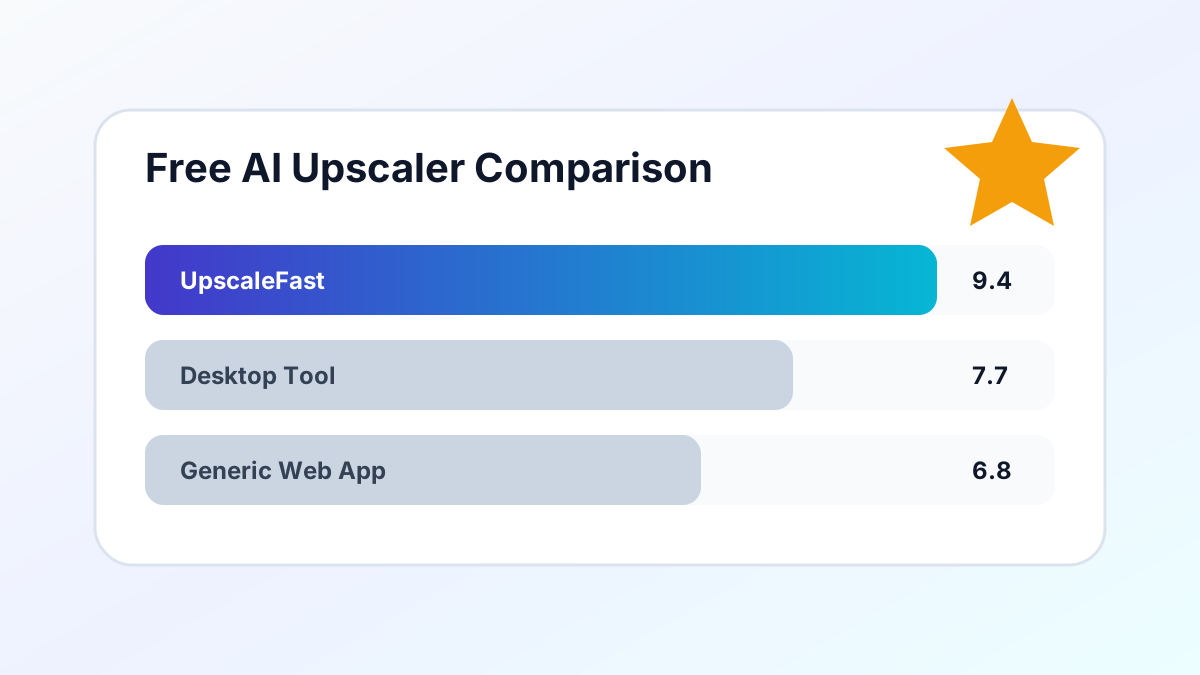
With so many AI image upscalers available in 2026, choosing the right one can be overwhelming. We tested the most popular free options to help you decide.
What We Tested
We used the same set of 10 images across different categories: portraits, landscapes, product photos, text-heavy graphics, and anime artwork. Each was upscaled to 4x resolution.
Key Findings
Quality: Real-ESRGAN-based tools (like UpscaleFast) consistently produced the sharpest results with the fewest artifacts, especially on photographic content.
Speed: Cloud-based tools with GPU acceleration process images in 5-15 seconds. Desktop tools vary widely based on your hardware.
Ease of Use: Browser-based tools win for convenience — no installation, no sign-up required for basic use.
What to Look For
- No watermarks on output images
- Multiple scale options (2x, 3x, 4x)
- Format support for JPG, PNG, and WebP
- Privacy — automatic file deletion after processing
- No mandatory sign-up for basic features
Our Recommendation
For most users, a browser-based tool with Real-ESRGAN processing offers the best balance of quality, speed, and convenience. UpscaleFast checks all these boxes with 3 free upscales daily and no account required. For anime and artwork, check out the Creative Upscaler which is optimized for illustrated content.